 Puracam
Scan the real world in 3D
3D scans & floor plans, on device
Puracam turns an iPhone or iPad with LiDAR into a 3D scanner and floor plan tool. Walk around an object or sweep a room, and get a textured model — or a dimensioned 2D plan — you can open, measure and export, with the reconstruction running on the device itself.
Download on the App Store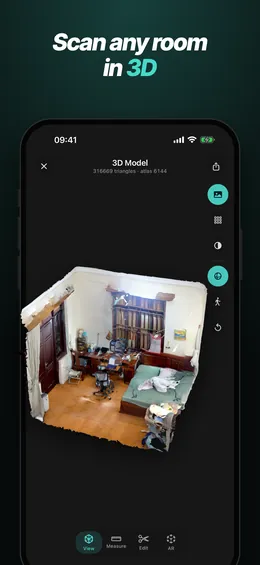
New in version 1.14
Answers when a scan goes wrong
-
A Help center in the app
Search how-tos and fixes for common scanning problems, many with a short video. Open it from Home, Guide or Settings — or browse it here.
-
Chairs stay put
Space scans keep free-standing furniture: chairs and tables no longer disappear and end up painted onto the wall behind them.
-
Sharper textures
Less ghosting on Space scans where photos of the same spot disagree. Object captures that fail to line up now try again on their own.
Everything else
Scan
- Three modes, one camera. Object, Space and Floor Plan side by side — switch with a swipe.
- One shutter button. Start, pause to reposition, resume and tap Done, like the Camera app. Close a scan in progress and choose to save, restart or discard it.
- See what you have covered. Live guidance paints what has been captured, so you find thin spots while still in the room.
- How-to videos, Guide & Tips for every mode, one tap away — watch the videos. A searchable Help center with fixes for common problems.
- A guided start. A short first-launch tour helps you pick the right mode, and the scanner opens in it.
- Tune the result. Preview the raw scan, then pick Balanced or Detailed — or set the level of detail yourself with Custom.
- Cleaner models. Smoother outlines, solid thin walls when scanned from both sides, and stray fragments around doorways and windows cleaned up.
- Built for big spaces. Large multi-room scans stay cooler and process much faster.
- No LiDAR? Puracam tells you right away and still opens Puracam files shared with you.
Objects
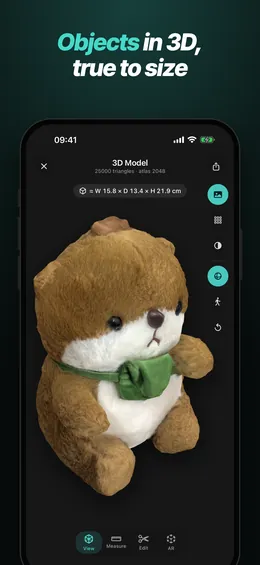
- Object Capture. A guided capture takes you around, above and — flip it if you like — under an object for a high-detail 3D model. Area mode handles reliefs and objects against a wall.
- Real dimensions. Width, depth and height shown right on the model.
- Clean up in a few taps. A compact editor with crop box, a lasso that cuts exactly along your line, a flat cut for the base, Remove support for the table or stand underneath, floating-bit removal or Auto Clean — with named undo and redo.
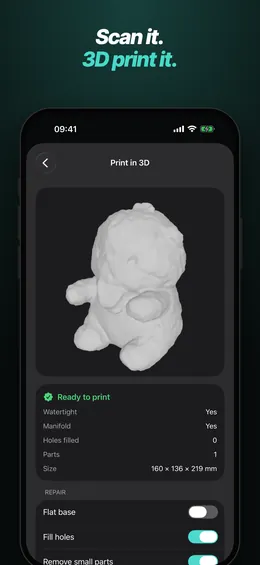
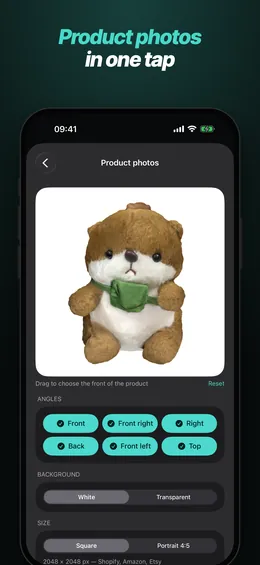
- Print and sell. Print in 3D (3MF or STL at real size, hollowed with drain holes for resin), product photos, and export presets for Shopify, Amazon and the web.
- 10 free object scans with full quality and every export format.
Floor plans
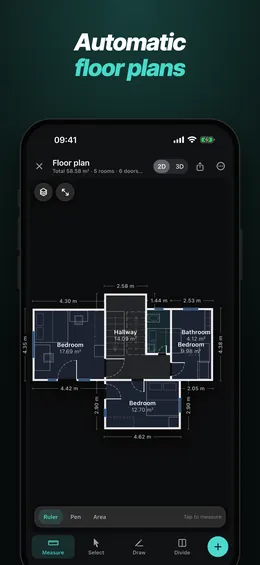
- Automatic drawing. Walls, doors, windows and furniture detected as you walk, with dimensions, opening widths and room areas.
- Full editor. Drag walls and corners, draw walls, add doors and windows, split rooms, mark columns, lock lengths and right angles.
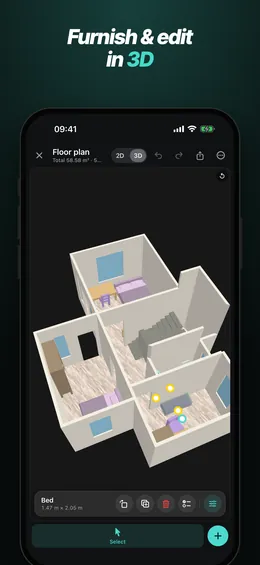
- Furnish it. More than 100 pieces that snap against walls — a symbol on the drawing, a 3D model in the room view. Wall-mounted pieces sit at their real height, with a warning when one would cover a door or window.
- Edit in 3D. Switch the plan from 2D to 3D and keep working on the model: drag, rotate and resize furniture, move doors and windows, select several pieces at once.
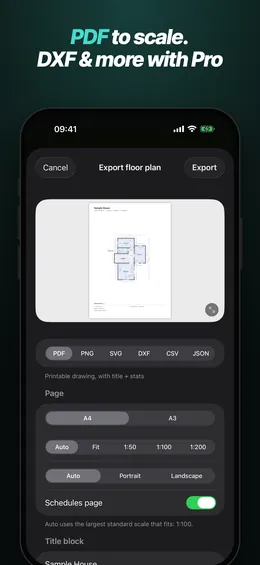
- Drawings ready for work. PDF to true scale with schedules — rotated to fit the page with a standard scale picked automatically — PNG, SVG, DXF for CAD with layers, CSV and JSON.
- Rooms in 3D with wood floors, furniture and soft shadows.
Share
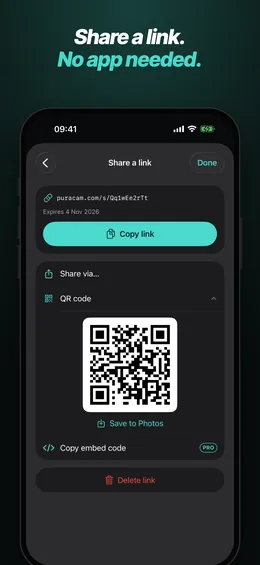
- Share a link. Send any scan as a web link or QR code. Anyone can open the 3D model and floor plan in a browser — no app needed. Links last 7 days, or 30 days with Pro, and you can delete one at any time.
- Hand over an editable copy. People who have Puracam can save their own copy from your link to measure, edit and export. Or send a Puracam file by AirDrop, Messages, Mail or Files — no internet needed.
- One Share screen for links, Puracam files, file export and turntable video. With Pro, add a password to a link and put your name, company and logo on every page you share.
- Embed on your site. Copy an embed code to show a 3D model on your own web page.
Review & export
- Real texture. Camera frames baked into a high-resolution atlas, not painted vertices.
- Explore by touch. Pinch to zoom where your fingers are, double-tap to fly to any spot.
- Measure on the model. Distances, paths and areas, in meters or feet and inches.
- 360° video of any scan with a live preview and dimension labels, saved to Photos. Style it with studio lights and your branding, then export MP4, GIF or PNG sets.
- Export anywhere. OBJ free; Pro adds USDZ, GLB, glTF, FBX, DAE, STL, PLY and DXF.
- A tidy library. Opens instantly. Filter by kind, organise into folders, browse scans on a map, and pick up unprocessed scans from Home. With Pro, process or export many scans in one go.
Processed on your iPhone or iPad — scans are uploaded only when you share one as a link, and there is no account to create. On iPad: a sidebar and full landscape support.
- Requires
- iPhone 12 Pro or later Pro models, or iPad Pro (2020 or later) — a LiDAR sensor is needed for scanning and floor plans. Without one, Puracam can still open Puracam files shared with you.
- iOS
- iOS 17 or later.
- 3D export
- OBJ (free). USDZ, GLB, glTF, FBX, DAE, STL, PLY, DXF (Pro).
- Floor plans
- Scanning, the 3D room view, the 2D drawing and the editor are free, and so is export as PDF or PNG (with a small watermark). SVG, DXF, CSV and JSON export are part of Pro.
- Model editing
- The editing tools are free to try; saving your edits is part of Pro.
- Object scans
- 10 free object scans, full quality and every export format included. Scans made with a free credit keep full access for good.
- Sharing
- Share links (7 days) and Puracam files are free. Pro adds links that last 30 days and can be renewed, link passwords and your own name, company and logo on shared pages. Creating a link uploads a web copy of that scan; see the Privacy Policy.
- 360° video
- Free with a watermark; Pro removes it.
- Price
- Free to download. Puracam Pro is an optional subscription, Monthly or Yearly — both start with a 7-day free trial for new subscribers.
- Account
- None. Puracam does not have sign-in.